
Download Thetawise – Free AI‑Powered Math Assistant for Students
Overview: Why Thetawise Is Changing the Way Students Learn Math
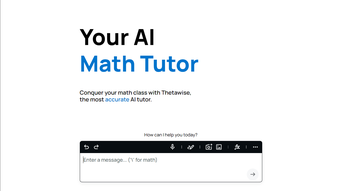
Mathematics can feel like a mountain for many learners, but Thetawise aims to flatten that climb by offering a free, AI‑driven tutoring experience that blends instant answers with deep, step‑by‑step explanations. Built on cutting‑edge language‑model technology, the platform does more than spit out a final result; it walks students through each algebraic manipulation, calculus derivative, or trigonometric identity, ensuring the logic behind the answer is crystal clear. This approach mirrors the way a human tutor would intervene, prompting the learner to think critically while correcting mistakes in real time.
Thetawise also generates custom practice questions, adapting difficulty based on a student’s performance, which makes it an excellent tool for homework help, exam revision, or pure curiosity‑driven exploration. Its multi‑modal input options—typed equations, hand‑drawn sketches, voice‑to‑text, or photo uploads—eliminate the friction of having to re‑type complex symbols, letting users focus on the problem itself. While the free tier limits users to 15 messages and five public answers per day, the unlimited Pro plan unlocks continuous interaction, a vital feature for intensive study periods such as finals week.
Even with that ceiling, the free version still offers substantial value for occasional help, making Thetawise an attractive entry point for high school and early college students seeking a reliable, secure, and always‑available math companion. Moreover, the platform’s commitment to privacy, zero‑ads policy, and regular updates mean that learners can trust the tool to stay relevant throughout their academic journey, adapting to new curricula and emerging mathematical standards without extra cost.
Core Features and What Sets Thetawise Apart
Feature List
- AI‑generated step‑by‑step solutions for algebra, calculus, geometry, statistics, and more.
- Interactive symbol palette organized by subject (calculus, trigonometry, arithmetic, etc.).
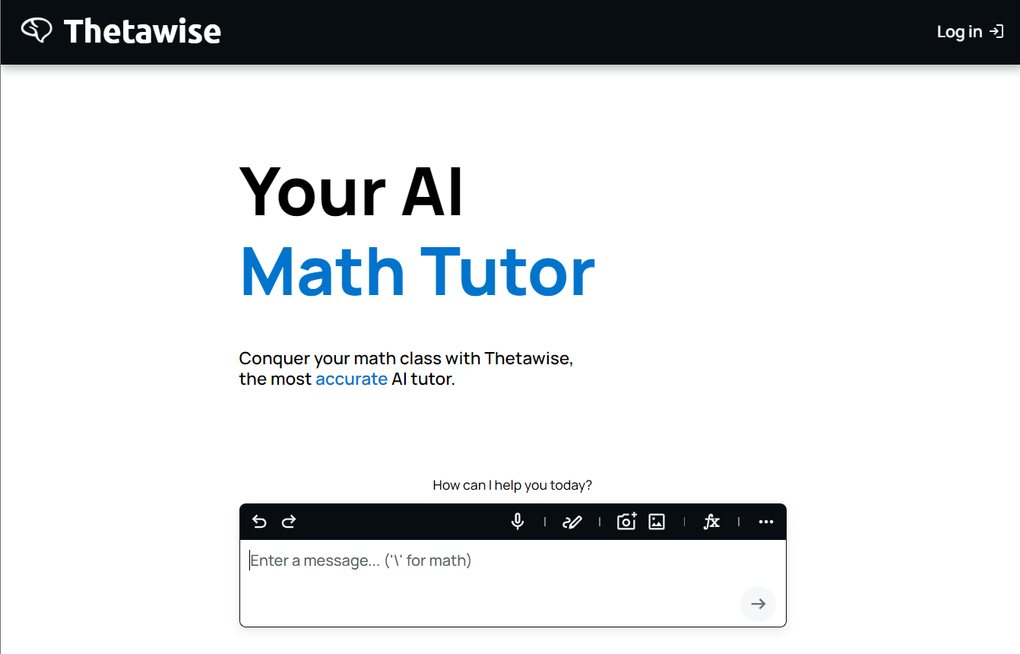
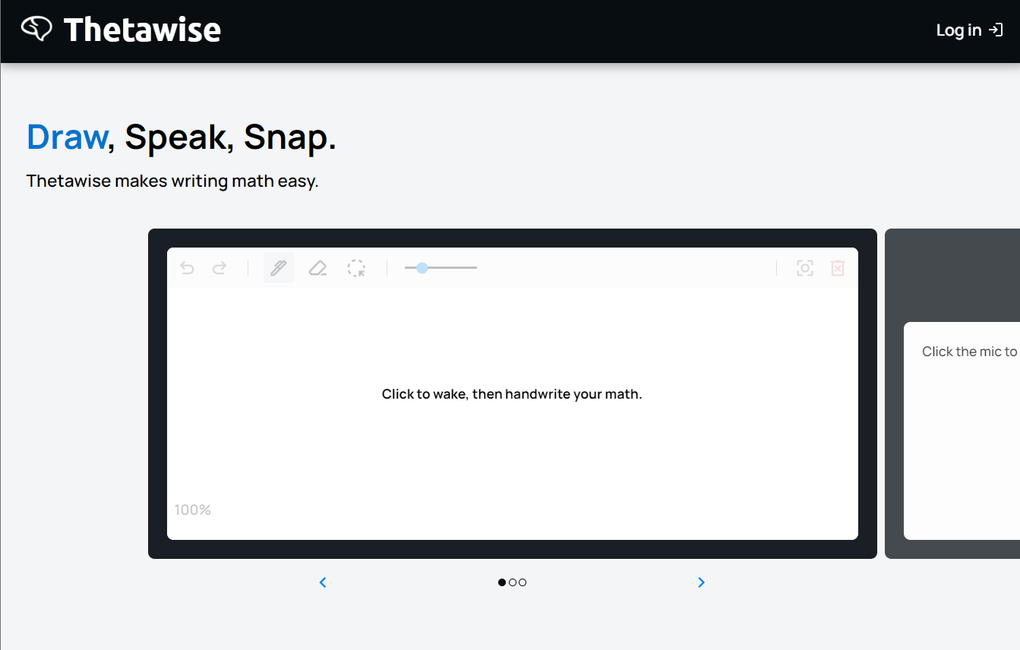
- Multi‑modal input: typing, hand‑drawing, voice‑to‑text, and photo upload with OCR conversion.
- Custom practice question generator that tailors difficulty to the learner’s progress.
- Real‑time error detection and guided correction for submitted work.
- Follow‑up questioning ability—students can ask for clarification or deeper insight on any step.
- Personalized learning path that adapts to user preferences and interaction history.
- Free tier with 15 daily messages and five public answers; Pro tier offers unlimited access.
- Cross‑platform web interface accessible from Windows, macOS, Android, and iOS browsers.
- Secure data handling—no personal identifiers are stored beyond the session unless the user opts in.
Thetawise’s feature set is designed around the principle of “learning by doing.” When a student submits a problem—whether by typing ∫(2x³ dx), drawing the equation on a touch screen, or snapping a photo of a textbook page—the AI instantly parses the input, recognizes the mathematical intent, and begins a conversational walkthrough. Each step is highlighted, and optional “why?” prompts allow the learner to dive deeper into theory, turning a simple answer into a mini‑lecture. The built‑in symbol palette eliminates the need to remember LaTeX codes; users simply click the appropriate icon, and the symbol appears in the input field.
This visual aid speeds up the problem‑entry process, especially on mobile devices where keyboards can be cumbersome. Moreover, the practice generator uses the same AI engine to craft problems that mirror the user’s current skill level, providing a balanced mix of reinforcement and challenge. The feedback loop—where the system checks submitted answers, flags errors, and offers corrective hints—creates an iterative learning cycle that has been shown to improve retention compared with passive answer lookup.
In short, Thetawise combines the convenience of a free calculator with the pedagogical depth of a personal tutor, while also offering analytics dashboards that let students track progress over weeks, identify weak topics, and celebrate milestones—features typically reserved for premium educational platforms.
Getting Started: Installation, Compatibility, and How to Use Thetawise Effectively
Installation & First‑Time Setup
Thetawise is a web‑based application, so there is no traditional download or installation required for desktop users. To begin, navigate to thetawise.com using any modern browser (Chrome, Firefox, Edge, Safari). The site automatically detects your operating system and presents an optimized interface.
For mobile users, a responsive design ensures that the same features are accessible on Android and iOS browsers without needing a separate app. If you prefer a shortcut, you can add Thetawise to your device’s home screen: on Android, open the browser menu and select “Add to Home screen”; on iOS, tap the Share icon and choose “Add to Home Screen.” This creates a pseudo‑app icon that launches the service in full‑screen mode, giving the feel of a native app while keeping the underlying web platform intact. The onboarding wizard walks new users through a brief tutorial, explaining the symbol palette, how to upload images, and the best practices for clear hand‑drawn input, ensuring that even first‑time visitors feel confident within minutes.
Compatibility (Windows, macOS, Android, iOS, Linux)
Because Thetawise runs entirely in the cloud, it is compatible with any operating system that can run a recent browser with JavaScript enabled. Windows 10/11, macOS Ventura and later, most Linux distributions, as well as Android 8.0+ and iOS 13+ are fully supported. The platform leverages WebAssembly for fast mathematical rendering, so performance is consistent across devices. Users on older browsers may experience slower response times or limited symbol rendering, but the core functionality—text input, solution generation, and feedback—remains intact. In addition, Thetawise supports popular accessibility features such as screen‑reader compatibility and high‑contrast mode, making it a viable option for users with visual impairments.
Step‑by‑Step Usage Guide
1. Sign‑up or continue as guest. Creating a free account unlocks the daily message quota and stores your practice history, while guests can still benefit from the instant solver without a login.
2.
Select your input method. Click the microphone for voice, the camera icon to upload a photo, or the pen tool to draw directly on the canvas. The AI can interpret handwritten fractions, integrals, and even messy notebook scans.
3.
Enter the problem. Use the symbol palette on the right to insert integrals, summations, matrices, or Greek letters. The auto‑complete feature suggests common symbols as you type, reducing errors.
4.
Press “Solve”. The AI processes the query and displays a concise answer at the top, followed by an expandable step‑by‑step breakdown. Each step includes a “Show work” toggle for deeper insight.
5.
Interact. Use the “Explain more” button to request additional theory, or type follow‑up questions like “Why do we use the chain rule here?” The system maintains context, allowing multi‑turn conversations that mimic a live tutor.
6. Practice mode. After a solution, click “Generate similar problems” to receive a set of tailored exercises, then submit your attempts for instant feedback.
The difficulty adjusts dynamically based on your accuracy.
7. Upgrade if needed. If you hit the daily limit, a non‑intrusive prompt will guide you to the Pro subscription, which removes caps, adds priority processing, and unlocks advanced analytics.
8. Review your progress. The dashboard visualizes completed topics, average time per problem, and accuracy trends, helping you plan study sessions strategically.
By following these steps, students can turn a simple homework question into an interactive learning session, leveraging Thetawise’s AI to build confidence and mastery across all levels of mathematics. The seamless flow from problem entry to detailed feedback makes Thetawise an indispensable companion for both quick checks and deep‑dive study sessions.
Strengths, Weaknesses, FAQs, and Final Verdict
Pros & Cons
- Pros:
- Free tier provides meaningful assistance without any upfront cost.
- Step‑by‑step explanations promote deep understanding, not just answer retrieval.
- Multi‑modal input (typing, drawing, voice, photo) reduces barriers for complex notation.
- Adaptive practice generator personalizes learning pathways.
- Cross‑platform web access ensures availability on Windows, macOS, Android, and iOS.
- Secure, cloud‑based processing with no permanent storage of personal data.
- Built‑in progress dashboard helps students track improvement over time.
- Accessibility options such as screen‑reader support and high‑contrast mode.
- Cons:
- Free plan limits users to 15 messages and five public answers per day, which may interrupt study flow.
- Pro subscription is comparatively pricey versus other AI tutoring services.
- Internet connection required at all times; no offline mode.
- Occasional misinterpretation of hand‑drawn symbols, especially on low‑resolution images.
- Advanced analytics are only available in the paid tier.
Frequently Asked Questions
Is Thetawise really free to use?
Yes, Thetawise offers a completely free tier that includes 15 conversational messages and five public answers each day. This is sufficient for occasional homework help or quick concept checks. For unlimited access, a paid Pro plan is available.
Can I use Thetawise on my smartphone?
Absolutely. The web interface is fully responsive, and you can add a shortcut to your home screen on both Android and iOS devices, giving you an app‑like experience without any downloads.
How does Thetawise handle privacy and data security?
All calculations are processed on secure servers using TLS encryption. The platform does not store personal identifiers unless you create an account and opt‑in to saving your practice history. Session data is cleared after the conversation ends for guest users.
What subjects does Thetawise cover?
Thetawise supports a wide range of mathematics, including elementary arithmetic, algebra, geometry, trigonometry, calculus (limits, derivatives, integrals), linear algebra, probability, and statistics. New modules are added regularly based on user demand.
Is there an offline mode for Thetawise?
Currently, Thetawise requires an active internet connection because all AI processing happens in the cloud. Offline functionality may be introduced in future updates, but at present a stable connection is necessary.
Conclusion & Call to Action
Thetawise stands out as a powerful, free AI tutor that bridges the gap between quick answer generators and full‑featured educational platforms. Its step‑by‑step walkthroughs, adaptable practice engine, and multi‑modal input make it an indispensable companion for anyone tackling math—from high‑school algebra to college‑level calculus. While the free tier’s daily caps can feel restrictive during intense study periods, the Pro plan’s unlimited access justifies its price for serious learners seeking continuous support. If you’re looking for a secure, always‑online math assistant that teaches as it solves, download Thetawise today and start turning challenging problems into confidence‑building opportunities. Embrace a smarter way to study, improve your grades, and develop a lasting appreciation for mathematics with Thetawise at your side.
Overall Rating: 4.5 / 5



.png)



